
One treatment journey, understood over time.
Preparation, treatment, integration, and follow-up are connected parts of care, even when the work happens on different days, with different clinicians, and across different systems.
The record starts before treatment, grows through the session, and continues into the integration and follow-up that come after it.
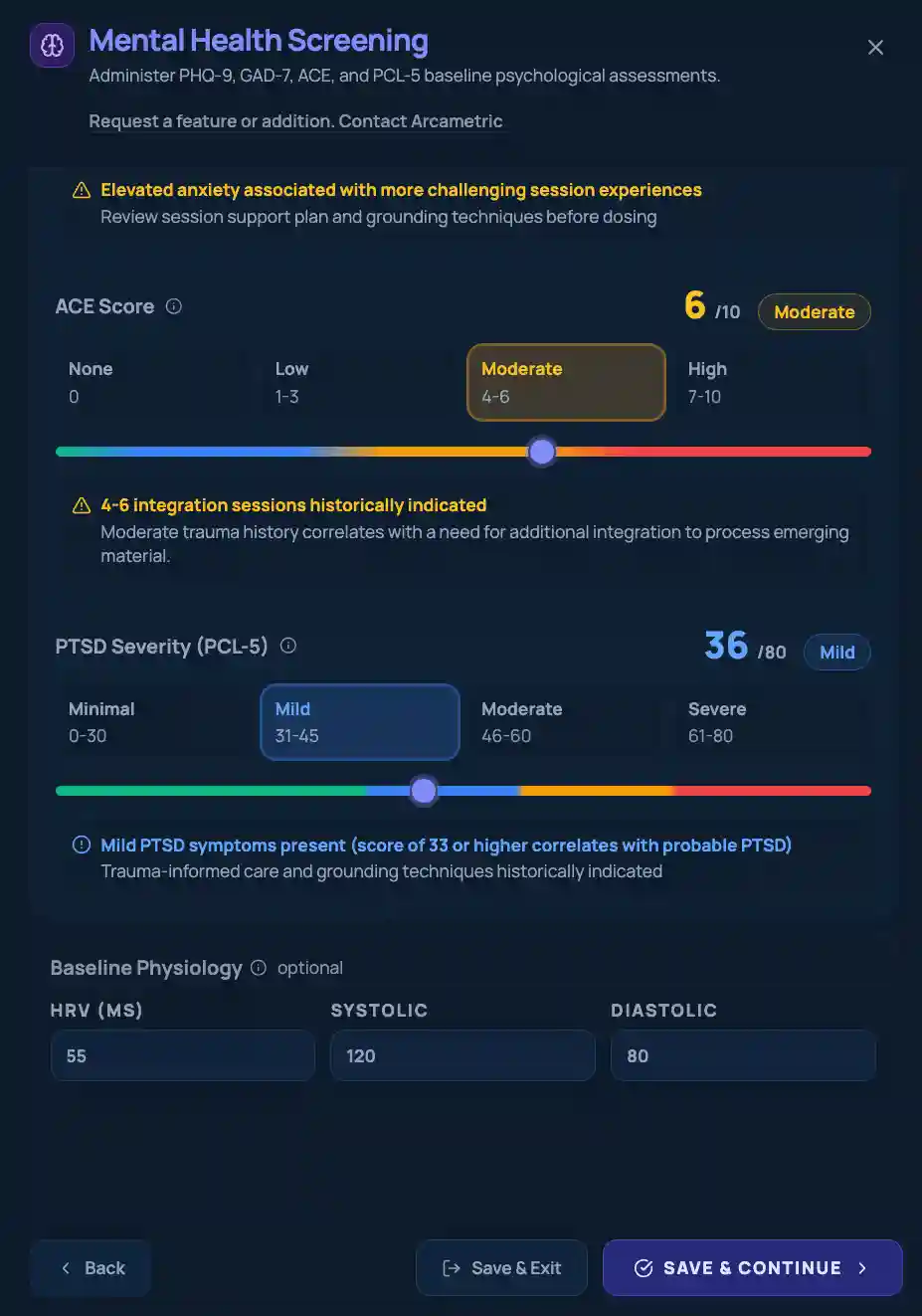
Establish the baseline, clinical context, and planning that need to be available when treatment begins.
- Informed consent
- Risk and safety
- Mental health screening
- Set and setting
Build a structured chronology of the session as dosing, events, vitals, observations, and other recorded information unfold.
- Dose administrations
- Vitals
- Clinical reports
- Adverse events
- Experiential observations
Keep integration sessions, assessments, follow-up planning, and later observations connected to the treatment history.
- Integration sessions
- Follow-up planning
- Ongoing assessments
- Long-term follow-up
Begin with what is known.
Relevant screening, consent, baseline measures, and the planning around set and setting give the work that follows a clearer starting point. Those starting points stay attached to the record as it grows, and no single entry has to tell the whole story.
Preserve context as the session unfolds.
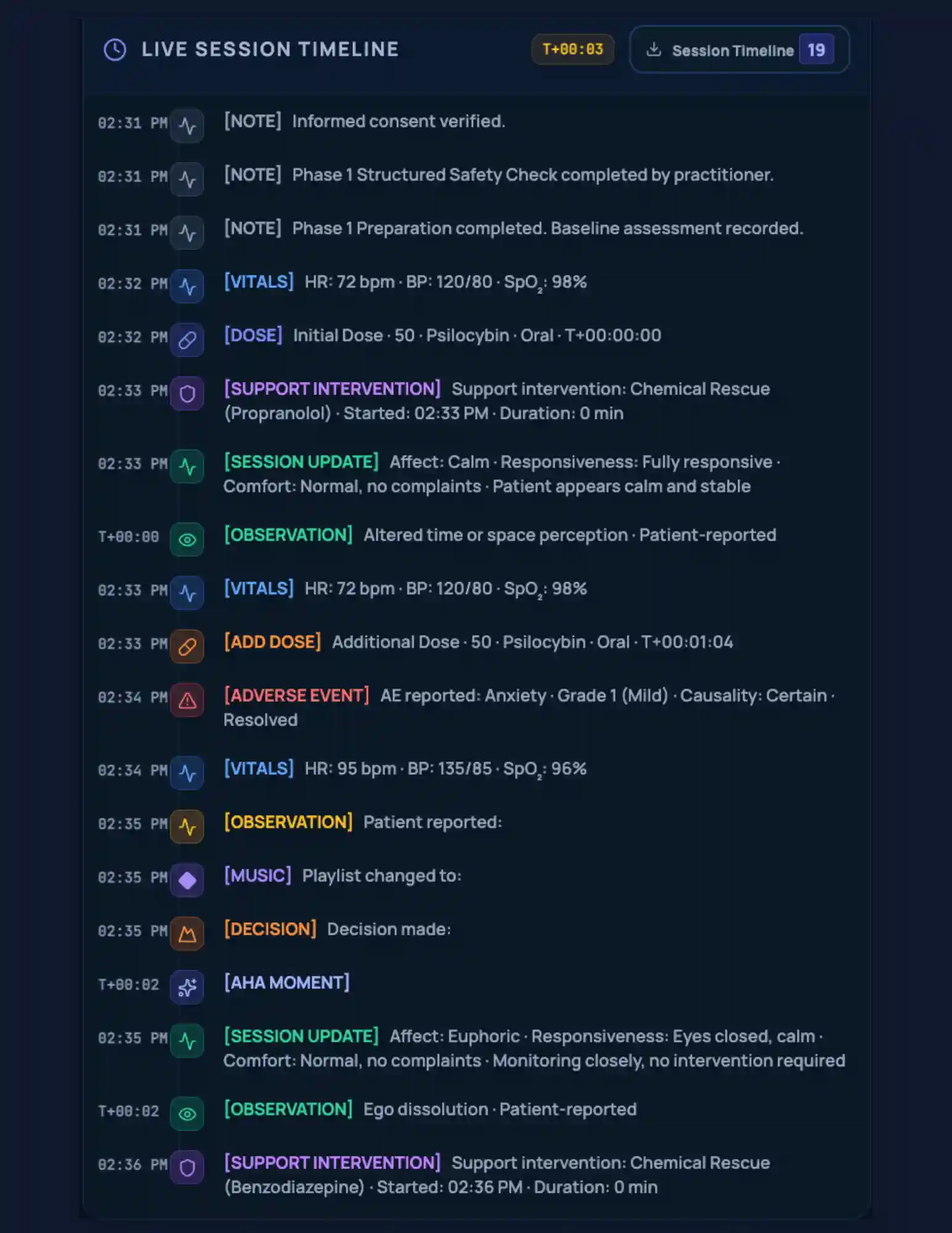
Dose administrations, vitals, clinical events, observations, and safety events are recorded against one session timeline. Their timing and source matter as much as the facts themselves, so the chronology keeps what happened and when it happened together, instead of flattening the session into a generic visit note.
Carry the work forward, and keep what follows connected.
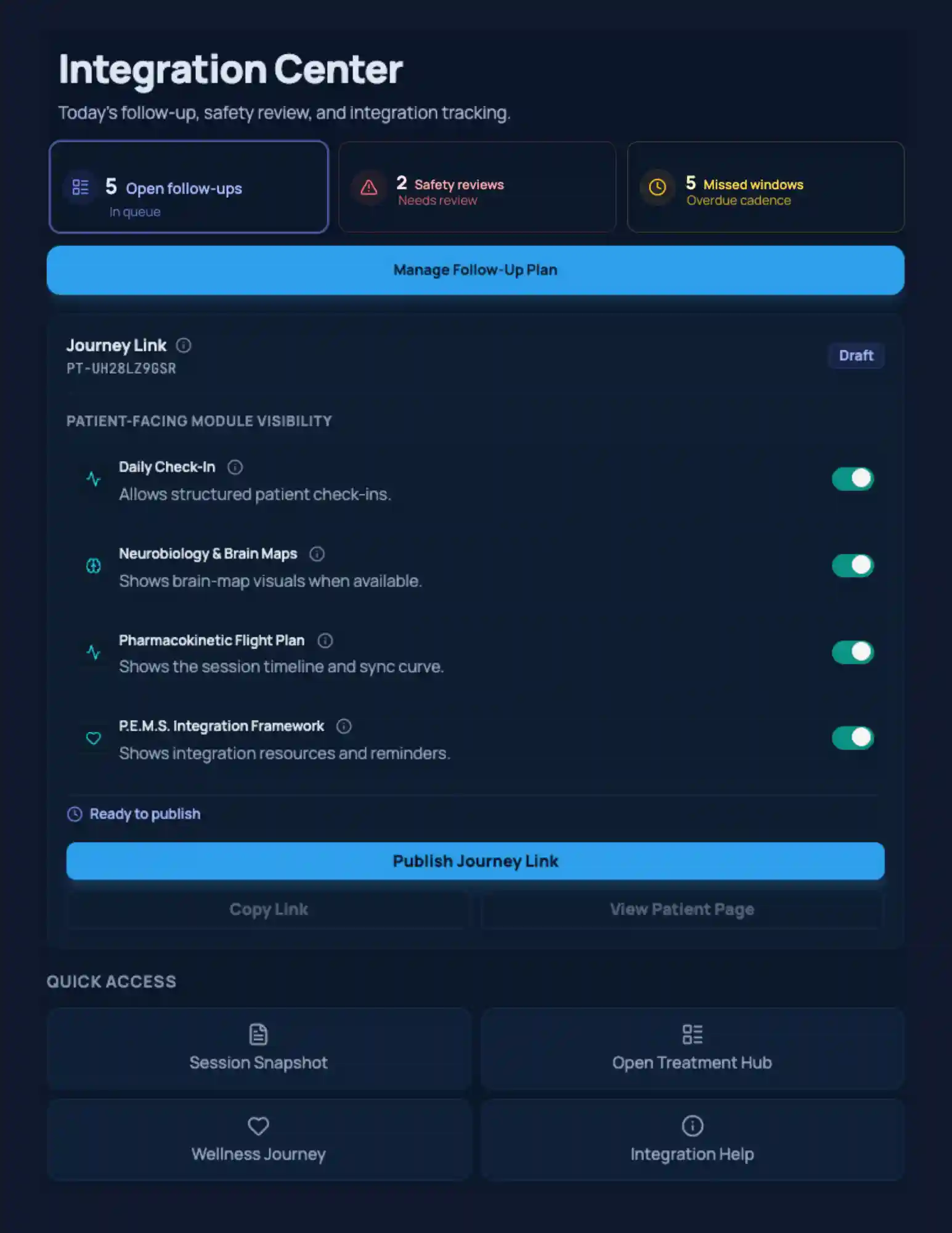
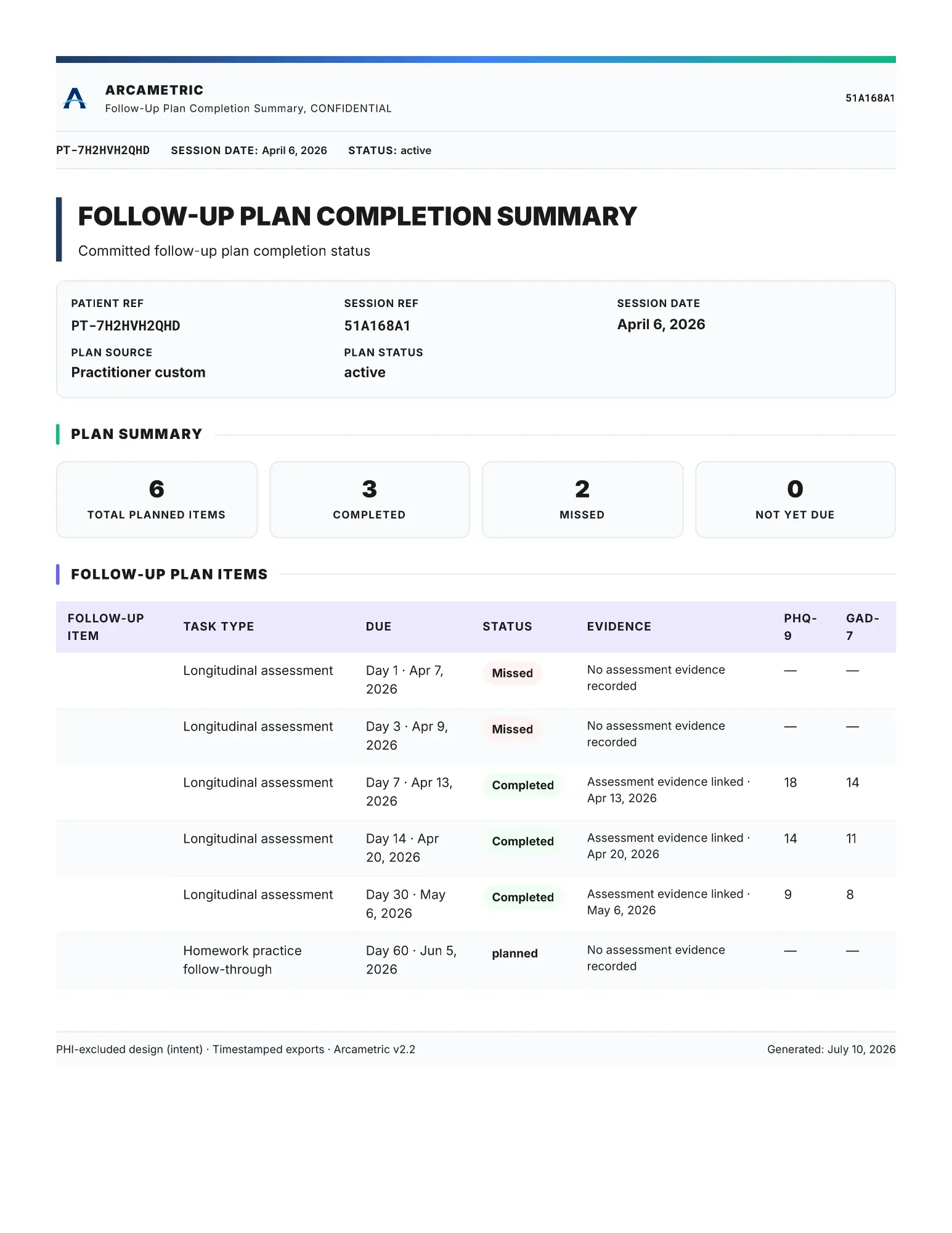
Integration sessions, follow-up plans, scheduled assessments, and later observations stay tied to the treatment that preceded them. A missed check-in and a measured absence of symptoms are not the same thing, and the record keeps them distinguishable.
Return to the record with a better question: review what happened, what followed, and what changed, without separating any of it from the context that came before.
See the same record from the angle a reader needs.
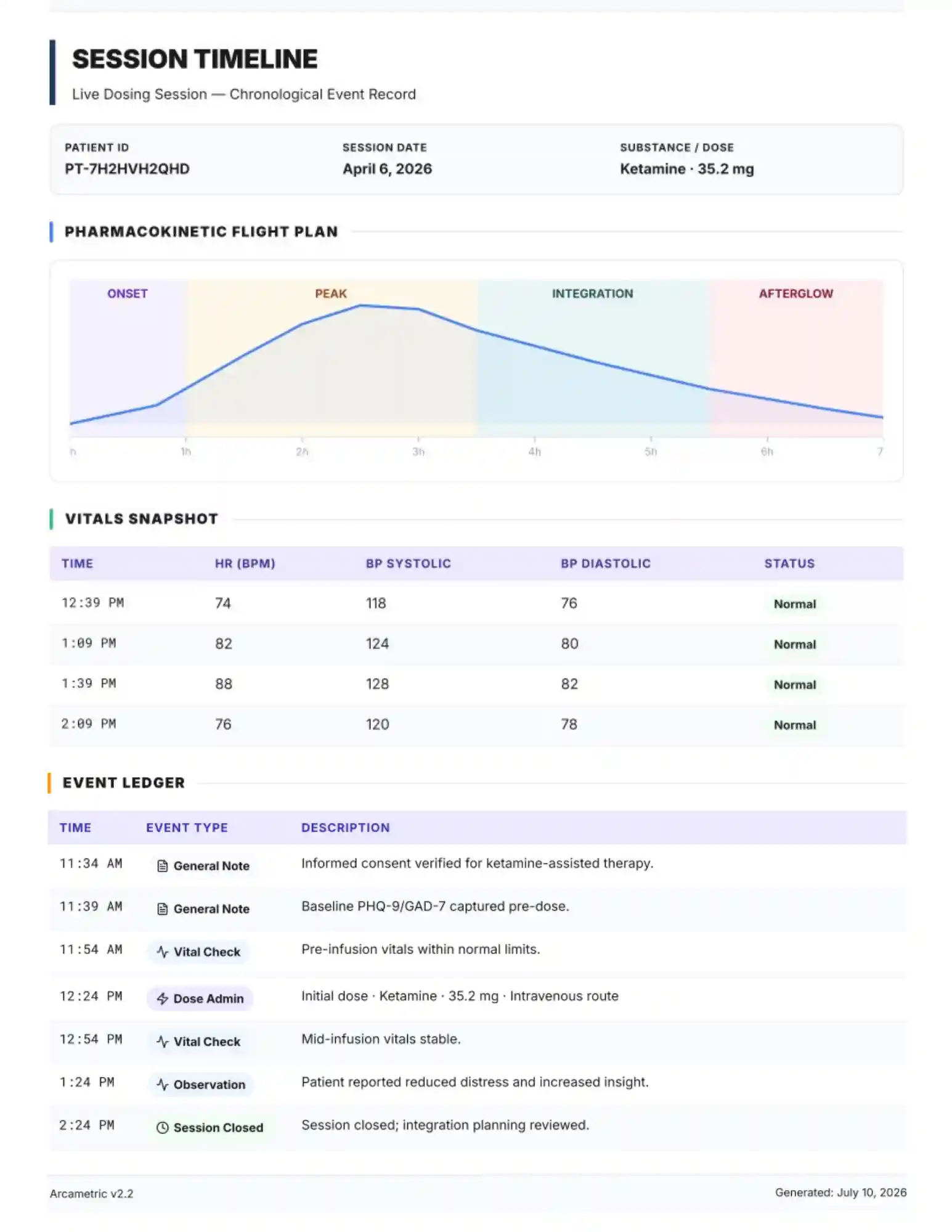
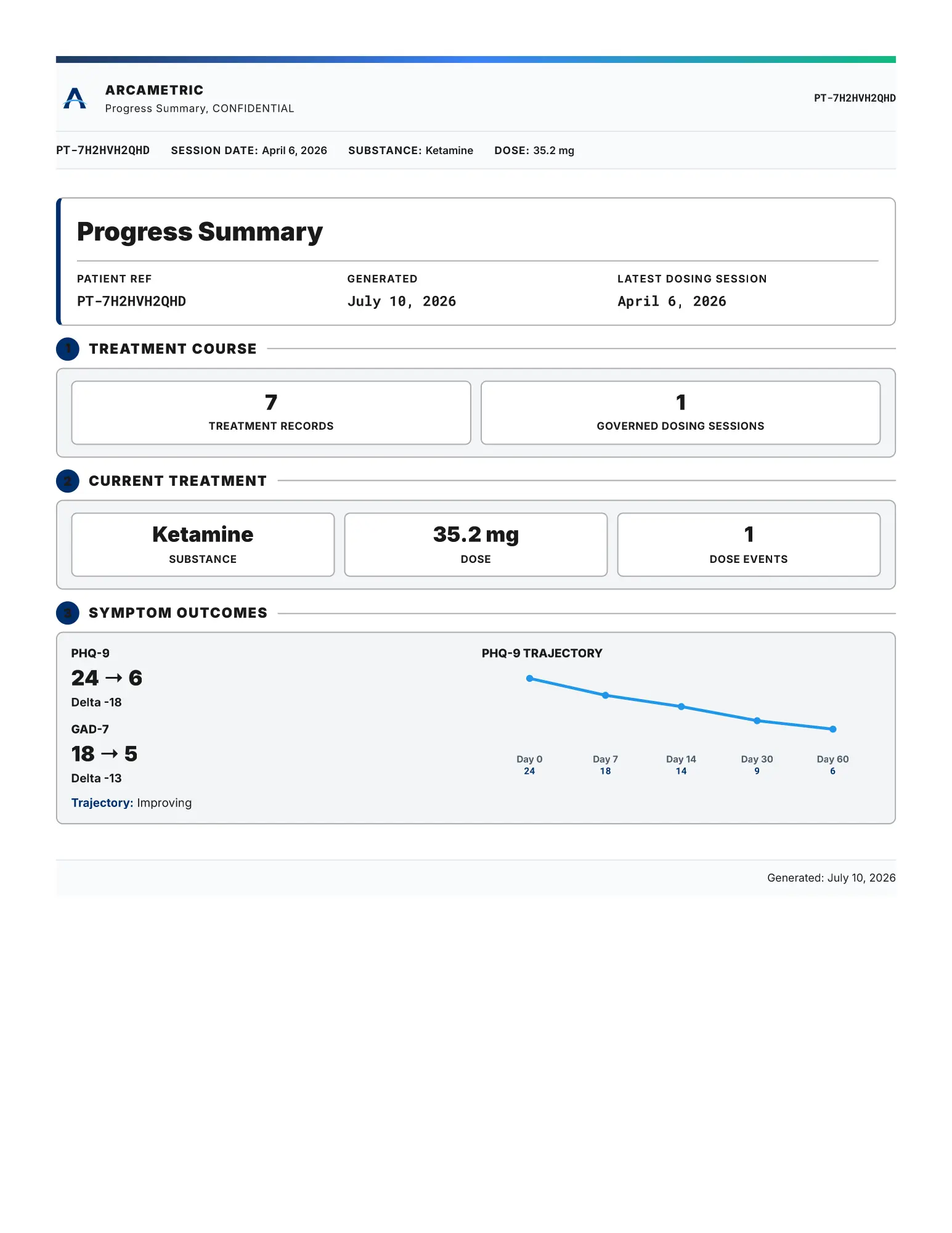
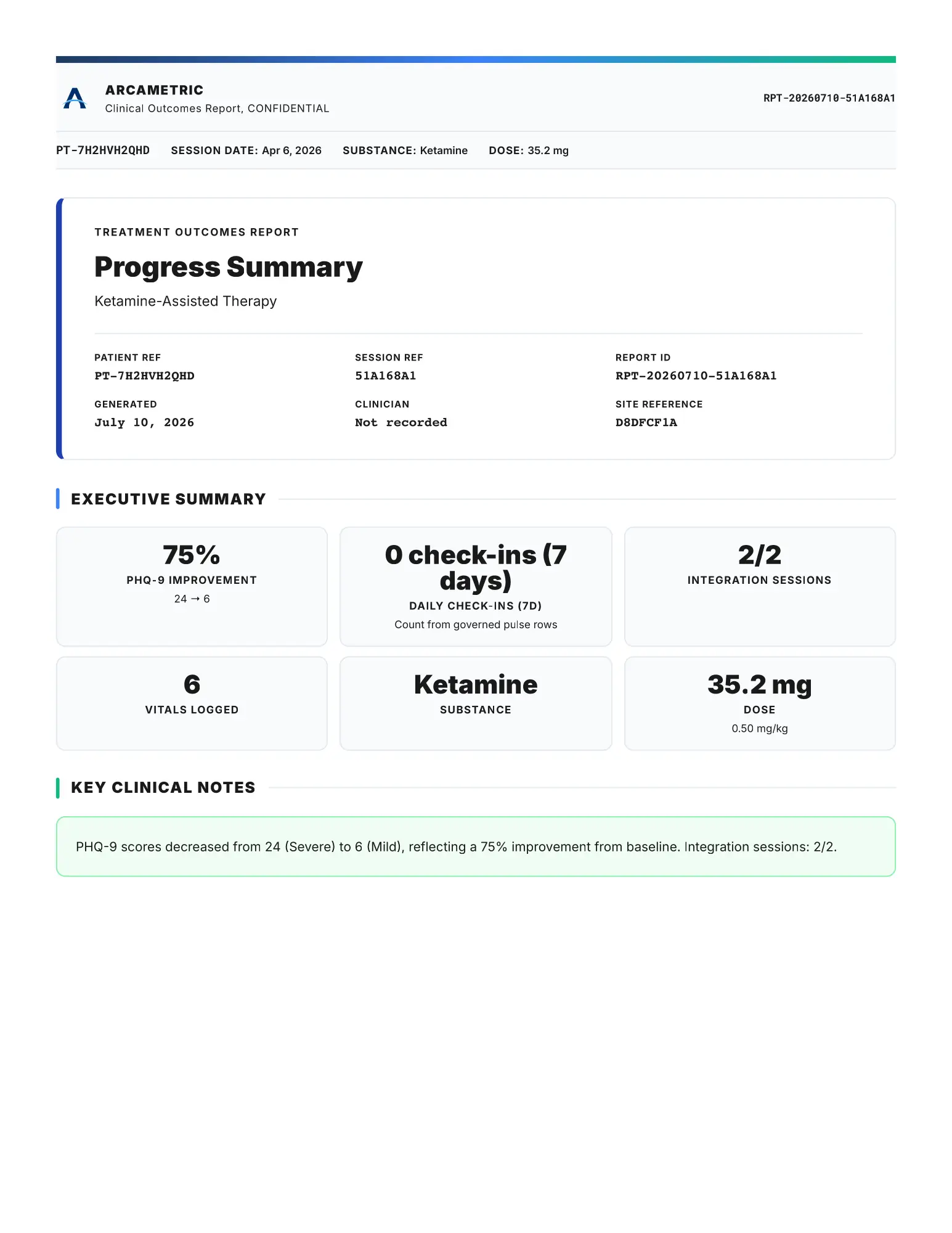
The same structured history produces supported outputs such as the Session Timeline, Progress Summary, Clinical Outcomes, and Follow-Up Completion, along with structured exports where appropriate. Each output draws from the governed record rather than asking anyone to rebuild the history from a separate narrative, and a readable output does not change the meaning of its source.
Arcametric begins where the EHR ends.
Your EHR remains your chart, scheduling, billing, and identity system. Arcametric structures the specialized treatment and follow-up record beside it and keeps the connections between encounters. When information needs to return to the chart, download the supported report or structured export and save it through your normal workflow. Nothing is replaced; the thread between encounters is added.
- Intake and consent
- Safety screening
- Baseline measures
- Live session timeline
- Vitals
- Observations
- Follow-up
- Assessments
- Assigned activities
- Progress over time
- Patient identity (name, DOB, demographics)
- Scheduling and encounters
- Clinical notes and documents
- Billing and claims
- Ongoing care across your practice
Downloads and saves are one-way workflow steps. This diagram does not imply automatic EHR synchronization.
It holds the work, not the person's name.
Each person appears in Arcametric as a de-identified patient reference carrying structured clinical data, and the link between that reference and the individual stays in your own systems.
The structured workflow and governed exports do not depend on patient names, dates of birth, or contact information.
See what one connected record can produce.
Begin with the work in front of you, or inspect the reports and the privacy architecture first. Arcametric is free to use, and you can watch a short demo.